Flame Patterns: Real-World Uses for Fire-Inspired Design Assets
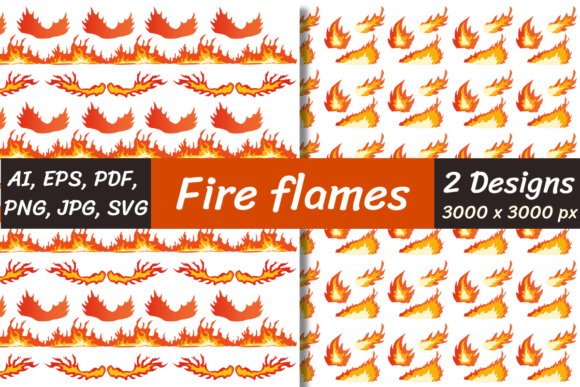
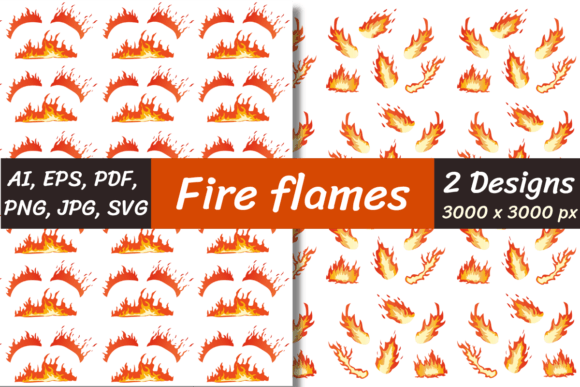
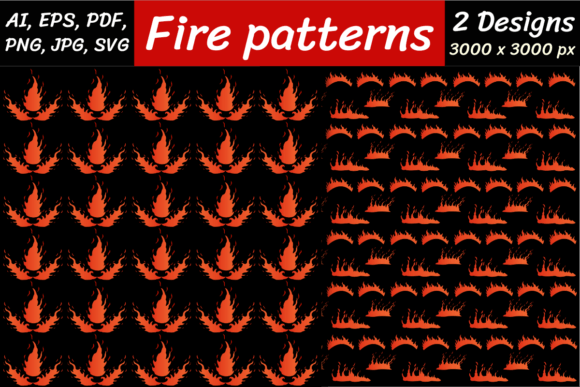
Flame Patterns are high-resolution, professionally crafted digital assets that capture the dynamic energy, movement, and texture of real fire—without the risk, heat, or unpredictability. These aren’t just decorative flames; they’re versatile design elements built for practical application across creative, commercial, and technical projects. Whether you're designing a concert poster, developing a mobile app interface, or producing packaging for an edgy lifestyle brand, Flame Patterns deliver instant visual impact with professional polish.
Where Flame Patterns Actually Get Used (Beyond “Cool Backgrounds”)
Designers, marketers, and developers don’t reach for Flame Patterns when they need generic filler—they reach for them when authenticity, motion, and emotional resonance matter. Here’s where they show up in everyday work:
- Brand Identity & Packaging: A craft distillery launching a small-batch smoky whiskey might use a subtle, desaturated flame pattern as a foil stamp on matte black labels—adding tactile warmth without overwhelming the minimalist typography. Similarly, a streetwear brand launching a “Ignite” apparel line uses a bold, orange-and-black Flame Pattern as a repeat motif inside jacket linings or on woven care tags.
- Digital Experiences: UI/UX designers embed SVG and PNG transparent versions into loading animations, hover states, or section dividers—especially in fitness apps (“Fire Up Your Workout”), gaming dashboards, or music streaming platforms highlighting “Hot Tracks.” Because SVG scales infinitely and PNG transparent preserves soft edges, these files adapt cleanly across devices and resolutions.
- Print & Large-Format Projects: With all Flame Patterns delivered at 3000 x 3000 pixels (300 DPI ready), they hold crisp detail on posters, banners, wall murals, and even vehicle wraps. A tattoo studio, for example, used a layered flame pattern as a textured backdrop behind client testimonials in their waiting area—printed on matte vinyl to soften the intensity while keeping the energy alive.
- Video & Motion Graphics: Though Flame Patterns are static files, their organic flow makes them ideal base layers for motion design. Editors import the PNG or JPG versions into After Effects, apply displacement maps or subtle opacity keyframes, and pair them with particle systems to simulate flickering light—cutting production time by half compared to shooting or simulating fire from scratch.
Who Benefits—and How Their Needs Shape File Choice
Not every user needs the same format—and that’s why Flame Patterns include AI, EPS, JPG, PNG, PNG transparent, SVG, and PDF options. It’s not about having *more* files—it’s about matching the right tool to the real task at hand:
- Graphic Designers (Adobe Creative Cloud users): Rely on the AI and EPS files for full vector editability—resizing without pixelation, recoloring with global swatches, or isolating individual flame shapes to build custom icons or illustrations.
- Web Developers & Front-End Designers: Prefer SVG for responsive backgrounds (no blur on retina screens) and PNG transparent for overlays—like placing a soft flame glow behind a CTA button or using it as a subtle border effect on a hero section.
- Print Production Teams: Use the high-res JPG and PDF files for CMYK prepress workflows. The PDF includes embedded color profiles and bleed-safe dimensions—reducing back-and-forth with printers when preparing large-format signage or premium brochures.
- DIY Creators & Small Business Owners: Often start with the PNG transparent version—it drops instantly into Canva, Photoshop Express, or even PowerPoint. No design software required. Just drag, resize, and layer over product photos or social media templates.
Two Digital Papers—Designed for Texture, Not Just Color
Included with every Flame Patterns download are two unique digital papers—each 3000 x 3000 pixels, high-resolution, and optimized for both screen and print. These aren’t flat gradients or noise filters. They’re carefully composed textures: one evokes charred, cracked embers with fine ash grain; the other suggests molten, slow-moving lava with deep tonal variation. Designers use them as underlays beneath text for depth, as subtle repeats in email headers, or as distressed layer masks to age digital mockups realistically. Because they’re resolution-independent in practice (thanks to their size and clean contrast), they scale beautifully—even when zoomed in for close-up product photography composites.
What to Keep in Mind Before You Apply Flame Patterns
Flame Patterns bring energy—but energy needs context. A few practical considerations help avoid missteps:
- Color Harmony Matters More Than Intensity: That vibrant red-orange flame looks stunning on charcoal gray—but can visually drown softer palettes like sage, oatmeal, or sky blue. Try desaturating or blending modes (e.g., Multiply or Overlay) first. Many designers find success using Flame Patterns in monochrome or duotone treatments instead of full-color renditions.
- Transparency Isn’t Always “Invisible”: PNG transparent files preserve soft edges and subtle glow—but if your background isn’t solid (e.g., a photo or gradient), those semi-transparent pixels may create unintended halos or fringing. Test on your actual background before finalizing layouts.
- Scale Changes Perception: A flame pattern works powerfully at 15% opacity as a texture overlay—but becomes overwhelming at 100% coverage unless intentionally dramatic. Think of it like spice: a little adds character; too much overshadows everything else.
- File Size ≠ Quality: While SVG is tiny and scalable, it doesn’t handle complex photorealistic gradients the way JPG or PNG do. If your project relies on rich, nuanced fire tones (deep crimsons, glowing yellows, smoky grays), lean on the high-res raster files—not just the vector ones.
Why Designers Return to Flame Patterns Again and Again
It’s not just about convenience—it’s about consistency and control. Stock photo sites offer fire imagery, but rarely with seamless tiling, editable vectors, or intentional transparency. Free resources often lack resolution, contain watermarks, or use inconsistent lighting that clashes with your brand’s tone. Flame Patterns solve that: they’re predictable, production-ready, and built to integrate—not compete—with your existing assets.
They also save time in revision cycles. When a client asks, “Can we make it feel more urgent?” or “Add some heat without being literal?”, you don’t scramble for new references—you adjust blend mode, tweak hue saturation, or swap in the ember-textured paper for grounded intensity. That kind of agility matters when deadlines tighten and creative direction shifts.
These files come zipped for fast, organized delivery—so you get everything in one place, no fragmented downloads or missing layers. Just remember: you’ll need unzipping software like WinZip or WinRAR installed on your computer or laptop to access them right away. Most modern operating systems handle ZIP extraction natively—but if you’re on an older setup or a tightly managed work device, a quick install ensures zero delay between download and use.
Whether you're building a campaign that demands visceral impact, crafting a UI that needs kinetic energy, or simply want to add dimension to a presentation slide—Flame Patterns give you fire, thoughtfully contained, technically flexible, and ready to serve your idea—not distract from it.