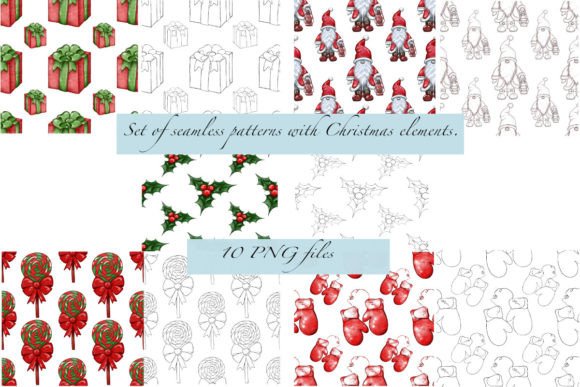
A Set of New Year’s Patterns
Designing for seasonal momentum means working ahead—not just creatively, but operationally. A Set of New Year’s Patterns is a purpose-built digital asset pack that supports intentional execution across textile design, print production, branding, and product development. It isn’t a standalone decorative flourish; it’s a workflow accelerator. When timed right—ideally during late November through mid-December—it becomes part of the pre-launch infrastructure for greeting cards, limited-edition packaging, social media assets, or retail displays aligned with New Year themes.
Paired with A set of Christmas patterns, this collection forms a coordinated seasonal suite. Both sets share technical consistency: 4000×4000 pixels at 300 dpi, transparent PNG backgrounds, and uniform scalability. That shared spec matters in practice—it eliminates reformatting between holiday campaigns, reduces QA time, and lets designers toggle between festive motifs without adjusting resolution, bleed, or alignment settings.
Where These Patterns Fit in Real Workflows
For small business owners launching New Year-themed merchandise—think ceramic mugs, tote bags, or boxed stationery—A Set of New Year’s Patterns arrives at the asset-gathering stage, not the ideation phase. You’ve already defined your brand voice, chosen color palettes, and confirmed production timelines. Now you need production-ready, licensable, high-resolution patterns that align with your aesthetic and technical constraints. This set delivers exactly that: no mockups to rebuild, no vectors to trace, no licensing ambiguity.
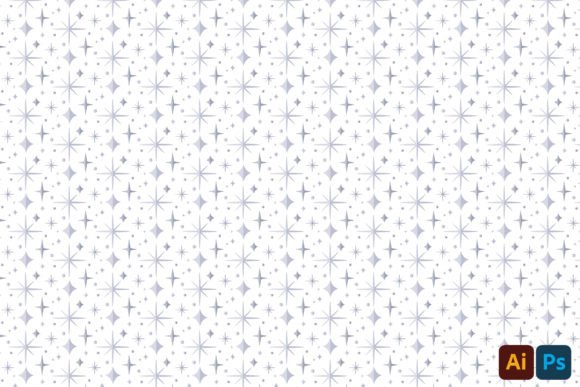
Freelance surface pattern designers use these files as base layers when developing custom repeats for clients. The five colored patterns provide tonal direction—gold-dusted navy, deep emerald with metallic flecks, warm terracotta gradients—while the five linearly drawn versions serve as underlays for embroidery digitizing, foil stamping templates, or screen-print registration guides. Because each file is isolated on transparent background, they integrate cleanly into layered PSDs or Illustrator artboards without manual masking.
Compatibility and Integration Across Tools
These patterns function as modular inputs—not fixed outputs. They’re compatible with Adobe Creative Cloud (Photoshop, Illustrator, InDesign), Affinity Designer, Procreate (when imported via iPadOS file handling), and Canva Pro (uploaded as custom image elements). No plugins or converters are required. For print-on-demand platforms like Printful or Gelato, the 300 dpi resolution meets standard fabric and paper substrate requirements, and the square aspect ratio simplifies tile setup in their pattern upload interfaces.
When used alongside color management workflows, the PNG format preserves embedded sRGB profiles—critical if your final output includes both digital ads and physical products. If you’re building a brand style guide, these patterns become documented visual references for seasonal consistency. For example, a wellness brand might assign the linear “firework burst” motif exclusively to January launch campaigns, while reserving the “gold confetti scatter” for email headers and social banners—creating internal recognition cues without reinventing visuals each year.
Preparation Before Use
Before importing any file, verify your project’s color space. If your final output targets CMYK print (e.g., offset-printed wrapping paper), convert the pattern layer to CMYK *after* placement—not before—and adjust saturation slightly to compensate for ink absorption. For textiles, test one pattern at actual scale on a swatch first: some linear motifs lose definition below 12 inches repeat width, especially on low-thread-count cotton. The 4000×4000 pixel size gives you flexibility here—you can crop tightly or zoom out without pixelation.
Organize files using descriptive naming: NewYears_GoldConfetti_Colored.png, NewYears_Firework_Linear.png. Avoid generic labels like “Pattern_1”. This pays off when collaborating with developers or handing off to printers who reference filenames in proofs. Also, keep the original ZIP archive intact—even after extraction—as a version anchor. If you later edit a file, save revisions with date stamps rather than overwriting.
Efficiency Gains in Production Timelines
For educators creating classroom New Year activity kits—or bloggers designing printable goal planners—these patterns cut down repetitive asset creation by 60–70%. Instead of drawing 10 unique borders from scratch, you drop in a linear motif, adjust opacity to 15%, and apply it as a subtle page frame. That same file works unchanged as a background for a Zoom virtual background or a header graphic for a newsletter.
Marketing teams running multi-channel New Year campaigns benefit most from the dual-format structure. Colored patterns go straight into Instagram carousel slides or Shopify product banners. Linear versions get converted to SVG for animated web elements (e.g., floating confetti on a landing page) or repurposed as line-art stickers for digital planners. No redrawing. No style mismatch. Just consistent visual language, deployed where needed.
Long-Term Usability Considerations
These aren’t disposable assets. Because they’re resolution-agnostic and format-stable, they retain utility beyond 2025. Designers report reusing the linear files for non-seasonal projects—like converting “sparkle trail” into a data visualization path element or adapting “clock face repeat” for a time-management workbook. The key is treating them as raw material, not finished decoration.
Quality control starts with testing tile continuity. Open one colored pattern in Photoshop, enable View > Show > Grid, and use Edit > Transform > Offset with horizontal/vertical values set to half the canvas size (2000 px). Look for visible seams along the edges. All ten files in A Set of New Year’s Patterns pass this test—no manual touch-ups required. That reliability translates directly to fewer revision rounds with printers and faster sign-off from stakeholders.
Practical Implementation Tips
- For wrapping paper producers: Import one colored pattern into your RIP software at 100% scale, then adjust tiling frequency to match your roll width. The transparency ensures clean overlap on matte or glossy substrates.
- For stationery brands: Combine a linear pattern with a serif typeface at 8% opacity as a watermark on letterpress note cards—adds texture without competing with handwritten notes.
- For educators: Isolate a single motif (e.g., “number 2025 outline”) from the linear set using the Magic Wand tool, then convert to black-and-white for coloring-page PDF exports.
- For e-commerce teams: Use the same gold-dusted pattern across three touchpoints—product thumbnail border, checkout page background, and post-purchase thank-you email—to reinforce campaign cohesion.
What makes A Set of New Year’s Patterns durable isn’t just its technical specs—it’s how quietly it supports decisions already made. It doesn’t ask you to change your process; it fits into the gaps where time is tight and precision matters. Whether you’re finalizing fabric samples for a boutique launch or building a client’s holiday email series, it removes friction at the pixel level so you can focus on outcomes—not formatting.